


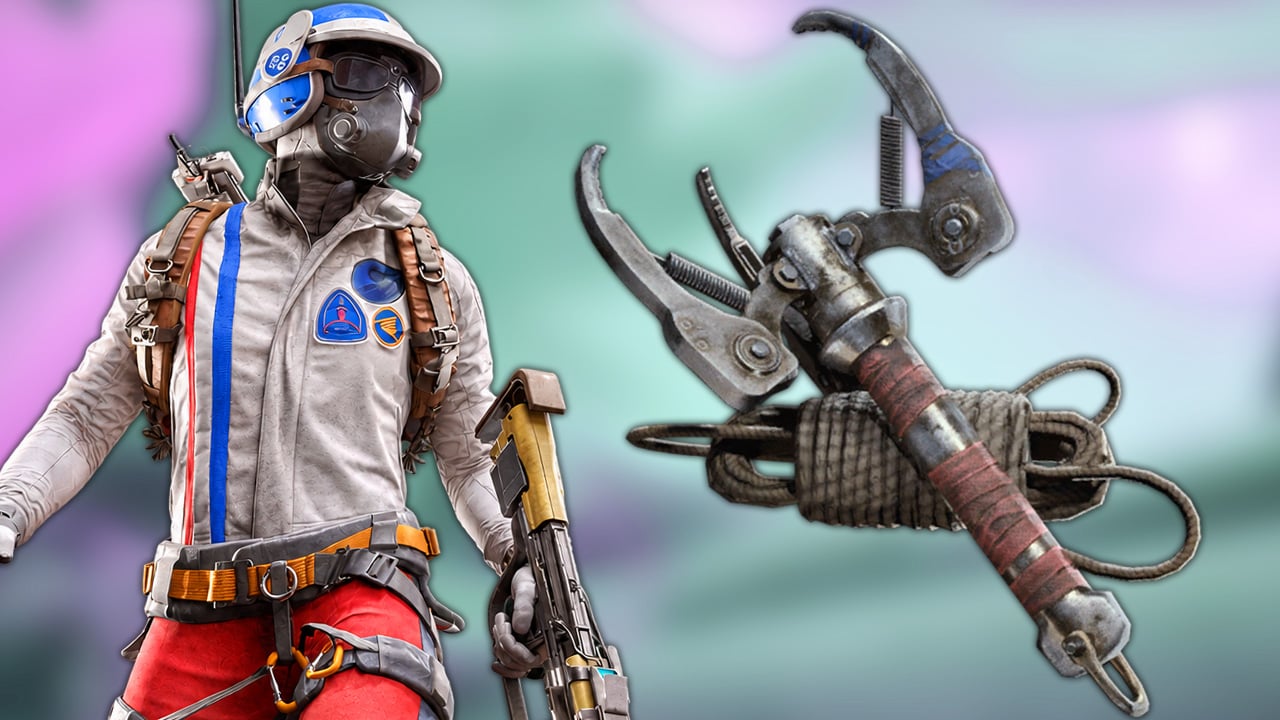


No more getting stopped by a high wall. Nothing should keep you from becoming Spider-Man in ARC Raiders. We’ll show you how to get the blueprint for the new Grappling Hook and what you need to craft it.
With the Frozen Trail update, ARC Raiders added new ways to move across its maps. The Grappling Hook lets you climb walls and swing across gaps, but if you want to craft it regularly, you’ll need the blueprint first. Our guide explains how to unlock it, which materials are required, and how research in your own Outpost can help.
The most important details at a glance:
- You get the blueprint for free at Level 12 of the Frozen Trail Reward Pass.
- Make sure Frozen Trail is selected as your active pass so your Reward Points go there.
- Alternatively, researching the blueprint costs 2,000 Research Points and ten Rope.
- Each Grappling Hook requires two Rope, one Cable Stripper, and one Mechanical Component to craft.
How to Unlock the Grappling Hook Blueprint: Reward Pass or Research
The free Frozen Trail Pass lets you work directly toward the blueprint. The key requirement is reaching Level 12 of the Reward Pass. You do not need a Premium Pass.
Here’s how to unlock the Grappling Hook:
- Select the Frozen Trail Reward Pass as your active pass.
- Complete the tasks called “Feats” and collect Reward Points.
- Claim the Grappling Hook blueprint at Pass Level 12.
Make sure you have the correct pass selected: Only one Reward Pass can be active at a time. If you have the Legacy Pass selected, your points will go there instead. The three weekly milestones are also worth completing, since each one awards 250 Reward Points for a total of 750 per week.
Alternative through the Research Station: Once you have unlocked the Outpost, you can research the Grappling Hook blueprint there. You need:
- Research Station Level 1
- 2,000 Research Points
- 10 × Rope
Afterward, crafting each individual Grappling Hook requires additional materials. The blueprint can also appear as loot, although no guaranteed spawn location has been confirmed so far. If you want to work toward it reliably, the Reward Pass or Research Station are your best options.
How to Craft the Grappling Hook: Required Materials
Once unlocked, you can craft the Grappling Hook at the Workbench. Each one requires:
| Material | Amount |
|---|---|
| Rope | 2 |
| Cable Stripper | 1 |
| Mechanical Components | 1 |
Hold on to Cable Strippers for crafting. You can find them in the “Mechanical” and “Industrial” loot categories, so areas associated with mechanical or industrial loot are your best places to search. This does not guarantee a fixed spawn, however.
How to Use the Grappling Hook: Swinging, Climbing, and Common Mistakes
Put the Grappling Hook into a quick-access slot, aim at a suitable surface, and throw it. Once it attaches, you can climb the rope, rappel down, or swing from it while keeping an eye on your stamina. The Grappling Hook and Snap Hook are two different gadgets. The new Grappling Hook lets you move along a rope, while the Snap Hook is designed more around quickly pulling yourself toward a target.
These tips can help when you first start using it:
- Chain multiple swings: You can throw the hook again while airborne to continue into another swing.
- Watch out for ledges: Balconies and other obstacles can catch the rope.
- Aim carefully for roof edges: Your character does not always grab the edge automatically after climbing up, so pay attention to where you are going to land.
Start by practicing on a low building with a mostly clear wall. That gives you a chance to get used to the movement before swinging across a gap with a backpack full of loot. Are you already using the Grappling Hook regularly, or are you sticking with the Snap Hook? Let us know in the comments.
0 comments
No comments yet. Start the discussion.
Create an account to comment
Sign in or create a free Guided account to join the discussion.