



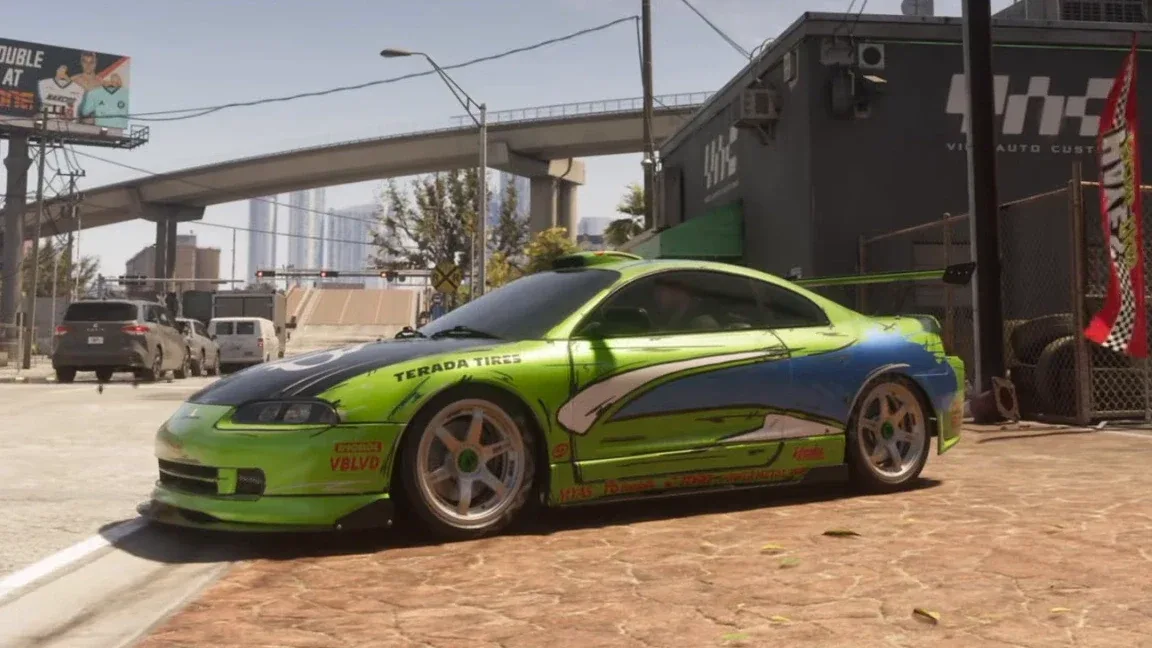


In GTA 6, Paul Walker’s Fast & Furious car sits in the garage of a white mansion on Vespucci Island. The game calls it the Maibatsu ’97 Penumbra FF. You can drive away in the green coupe with blue graphics early in free roam. To keep it, save Moses’ free Chapter 2 registration for this car.
Look for the mansion on Neptune Cir, just north of the road that links the bridges. There are two ways into the garage. If Moses resprays the car when you register it, you can get the movie paint job back at Vice Vinyl.
Where to find Paul Walker’s car in GTA 6
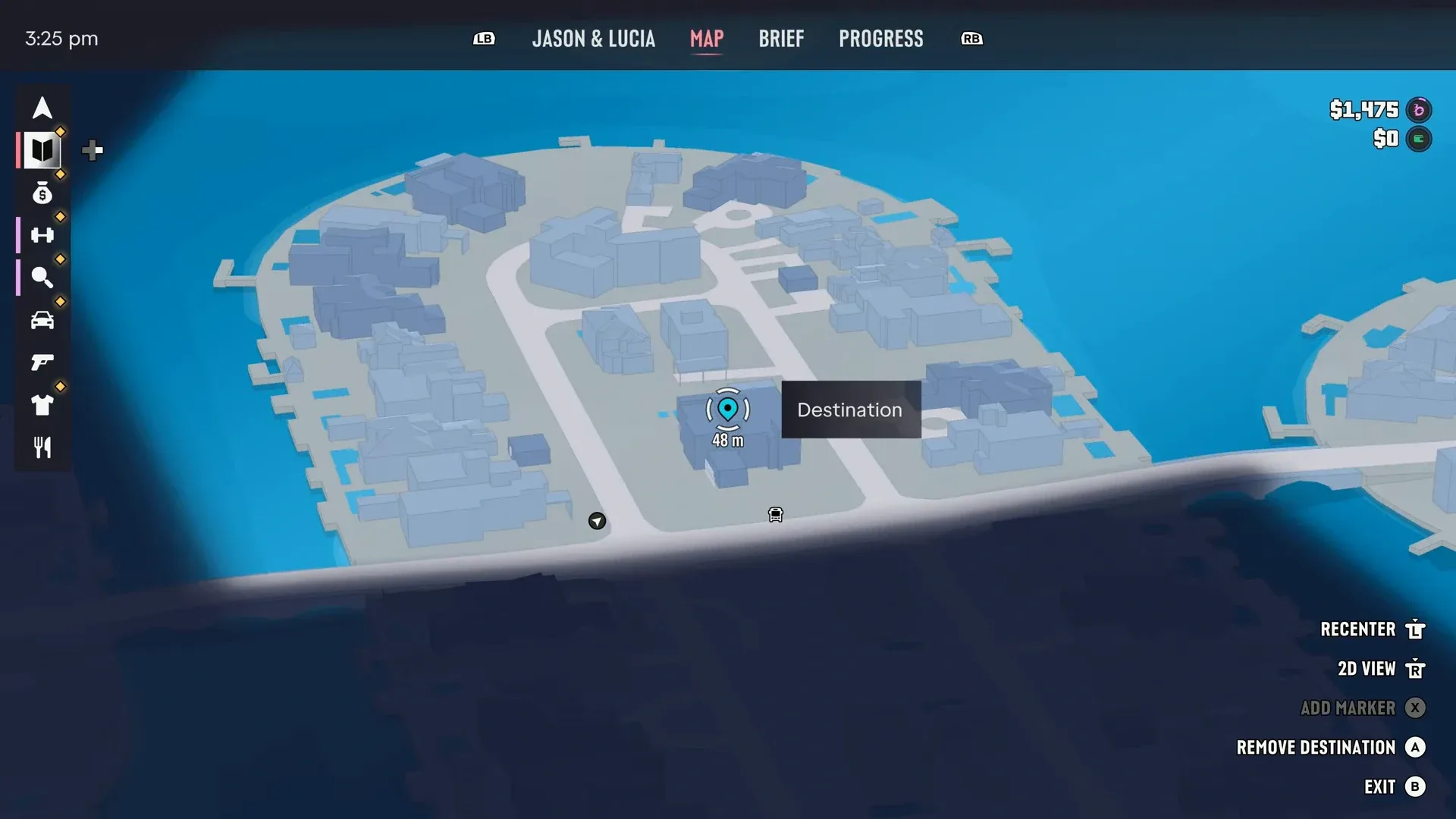
Open the map between Vice City and Vice Beach. The Rialto Islands sit in the bay. Follow the straight road over the three islands to the middle one, Vespucci Island. Zoom in on the center and set a waypoint just north of the road. The mansion is on the large lot on Neptune Cir between the two junctions.
Look for a tall hedge and a wide, paved driveway. Follow it to the white garage door and the narrow glass door immediately to its right. If the driveway gate stays closed, you can hop over it on foot in GTA 6. Leave the car you arrived in outside so the driveway is clear when you take the Penumbra out.
How to get into the garage and drive away
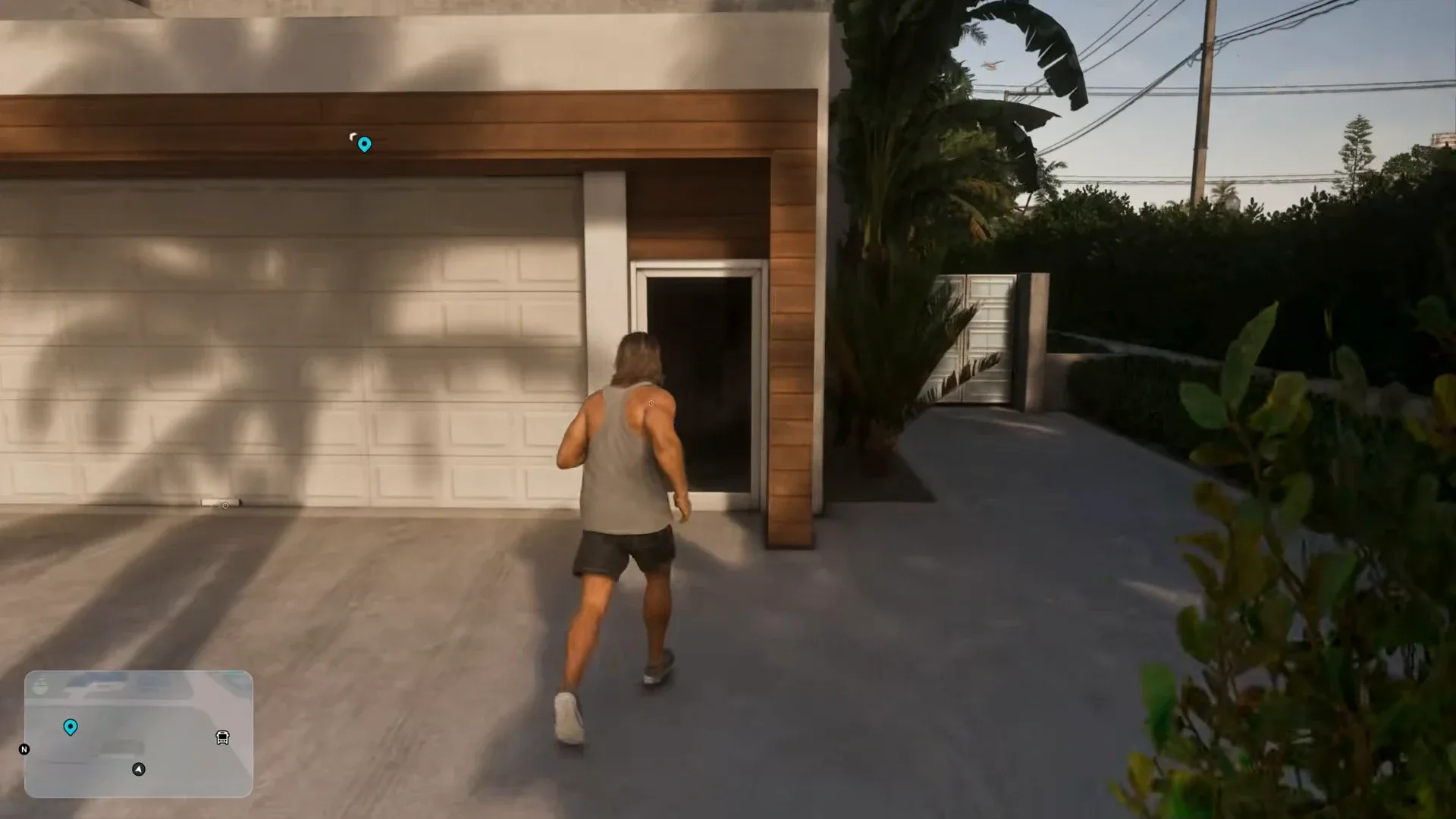
- Walk up to the white garage door and check for the interaction prompt. You can use the matching in-game tool to open it directly. You can also use the break-in prompt on the narrow side door to the right. That route can set off the building alarm.
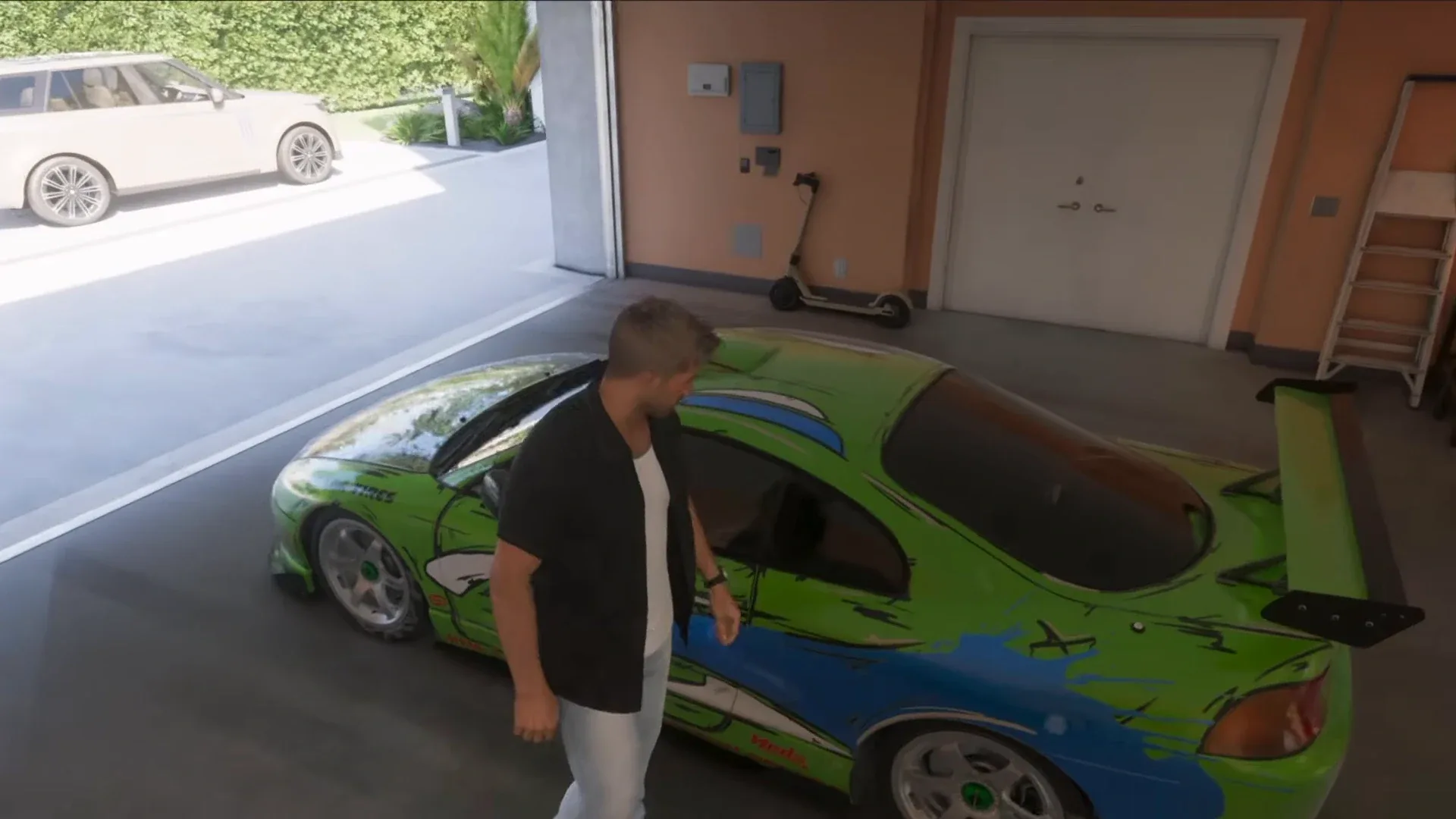
- Look for the garage and alarm controls on the orange wall inside. Turn off the building alarm if you triggered it and open the garage door for your exit.
- Go to the driver’s door of the green Penumbra. Use the Slim Jim if you have it. Otherwise, the game lets you break the window. Follow the on-screen prompt to start the engine.
- Pull out of the garage. If the driveway gate stays shut, leave the car in the driveway and walk back in to close the garage door. That opened the gate in a recorded run. Clear any wanted stars before heading to a shop.
The video shows the lot on the map at 0:12 and the walk from the street to the side door from 0:22.
How to keep the Penumbra FF as your own car
Pick up the car when you’re ready to register it. You can visit the mansion as early as Chapter 1. The first chance to make it a personal vehicle comes when you play as Lucia in Chapter 2. If you lose or wreck it before registration, it won’t be in Scooter Bros for you to recover.
Chapter 2: Use Moses’ free registration
Finish Girl’s Trip, after which Vicki sends you to Moses. He gives Lucia one free registration in the mission Moses. If the mission asks you to get a car, take the green Penumbra from Vespucci Island and drive it to Watkins Auto Parts in Port Gellhorn. Follow the MW marker on the map and watch for the message that the mission accepts the car. This Penumbra qualifies because it has no tracker.
Respray the car as part of Moses’ introduction, then select Register and wait for the ownership confirmation. Open Scooter Bros on your phone and check that the Penumbra is in your vehicle list. You can restore the green paint after registration.
Already used the offer? Register the car later
Once Moses’ shop is open for business, you can pay him to register the Penumbra. Pay ’n’ Spray is another option from Chapter 3. In the run shown below, Pay ’n’ Spray – La Perle quotes GTA$6,750 on the Register line. Check the quote in your own game and make sure you have a free garage slot. If all your spaces are taken, make room before bringing the car in.
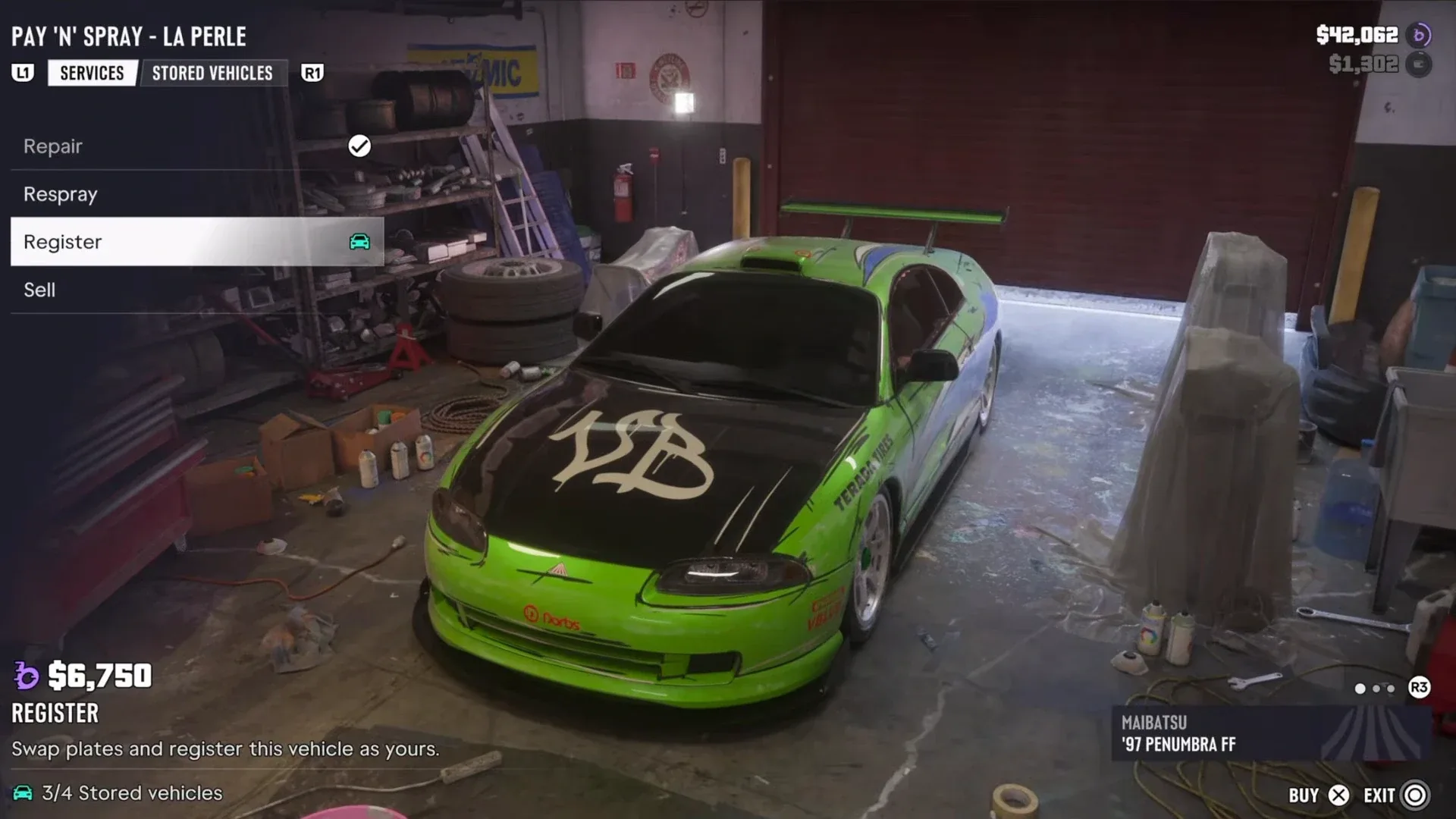
Skip to 1:45 to see registration at La Perle. The Penumbra still has its green paint and blue graphics in this shot.
How to restore the green paint and blue graphics
After registration, take the Penumbra to Vice Vinyl in Stockyard, Vice City. If the shop asks you to repair the car first, do that, then choose Restore Paint Job. The shop menu in the example shows GTA$185 for the restoration. The shop charges separately for repairs.
If the restore option is missing after repairs, you can rebuild the look by hand. At Vice Auto Customs, pick Acid from the gloss paint colors. For the graphics, go to Cosmetics → Customizable Liveries → Comics and choose Comic Book 1. The shop charges for each customization, so check the prices before confirming.
Which Fast & Furious car is the Penumbra based on?
The Penumbra takes after the green 1995 Mitsubishi Eclipse that Brian O’Conner (Paul Walker) races against Dominic Toretto (Vin Diesel) in 2001’s The Fast and the Furious. The bright green paint, blue side graphics and tall rear wing give it away. Look at the rear plate before you register the car. It reads HAD YOU, a nod to Brian telling Dom “I almost had you” after the race. The Pay ’n’ Spray menu says it swaps the plates when it registers the car. Take a screenshot first if you want to capture the original.

0 comments
No comments yet. Start the discussion.
Create an account to comment
Sign in or create a free Guided account to join the discussion.